AI integration in SaaS is revolutionizing how contemporary software carries out, improving businesses to provide smarter, faster, and more personalized experiences. Whether it’s automating repetitive tasks, offering real-time insights, or intelligent recommendations, AI empowers SaaS businesses to streamline workflows while adding value for their users.
With growing customer expectations, AI is no longer a luxury, but a necessity in the market. AI is helping businesses to optimize customer support, sales and marketing efforts, security, decision making and onboarding procedures. But there are challenges to the successful adoption of AI as well, such as data quality, privacy, implementation costs, and maintenance of the models.
This guide covers the advantages of AI integration in SaaS, the typical hurdles that companies encounter, and some real-world examples of how AI is transforming today’s SaaS applications.
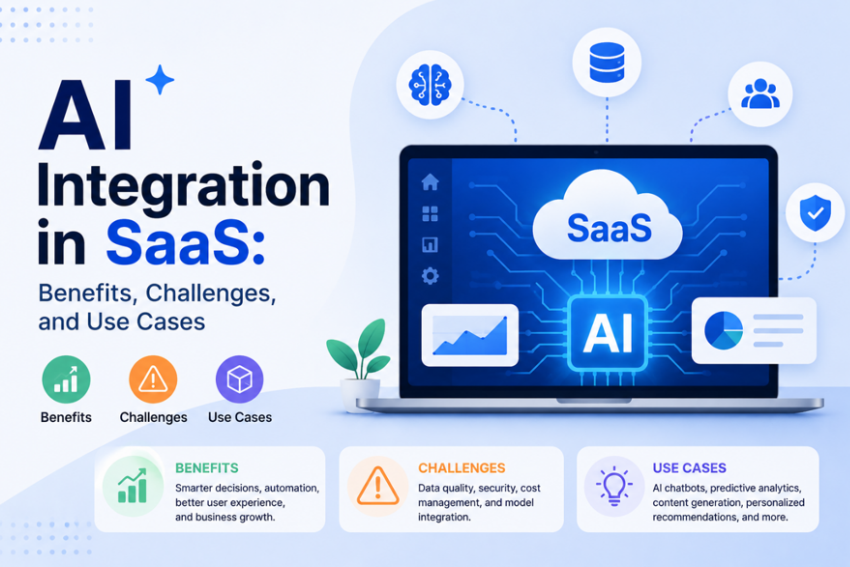
Why AI Integration in SaaS Stopped Being Optional
Five years back, “AI-powered” was just a marketing word. Today it’s almost a checkbox on buyer forms.
Buyers compare five tools that all look the same. AI features help you stand out, at least for now.
The pressure isn’t only external. Teams also want to cut churn and support costs. They want to personalize things at a scale humans can’t match.
Here’s what most founders miss. AI integration is not just a new feature. It’s a big decision about your product’s core setup.
Get it wrong early, and you rebuild your data pipes later. That’s why more SaaS teams run a short AI consultation first. It costs less than fixing things after launch.
The Real Benefits of AI Integration in SaaS
Not every benefit matters the same. Some move real revenue. Some just look nice in a slide deck.
Smarter Retention, Not Just Pretty Dashboards
Churn models flag risky accounts early. They catch signs like fewer logins or unused features. This only works well if your data is clean. Bad usage data gives bad predictions. Teams then chase false alarms.
Reduced Support Load
AI handles simple support tasks well. Think password resets or basic billing questions like, faster reply times, lower cost per ticket and agents free to handle harder tickets.
Faster, Less Painful Onboarding
Most users quit during onboarding, more than at any other step. AI can guide new users through setup. It uses tips based on similar accounts.
Data-Driven Product Decisions
ML-based feature checks catch patterns people miss. It shows which features drive upgrades. It shows which onboarding paths keep users longer. Teams stop guessing this way. They build roadmaps based on real user actions, not gut feeling.
Competitive Differentiation That Actually Holds
Basic AI chat widgets don’t stand out anymore. Everyone has one now. Real difference comes from AI tied to your core product. A tool built for property managers needs AI that flags lease risks, not a generic chatbot.
Expansion Revenue, Not Just Cost Savings
Most people only talk about AI saving money. That misses half the story. Usage models can flag accounts ready to upgrade. An account near its seat limit is a warm lead, not a cold one. More growth teams now build this signal into their upgrade playbook.
Faster Experimentation
AI tools let teams test ideas faster than before. A small pilot can run in weeks, not months. This lets teams learn what works before a big rollout. Teams can drop a feature fast if it fails. That saves money and time. Old-school software testing took much longer to show real results.
A small team can run three or four pilots in the time a big rollout used to take for one. This lets a SaaS team fail cheap and learn fast, instead of betting the whole budget on one big guess.
The Challenges Nobody Talks About Enough
Vendors love talking about AI benefits. Few talk about what actually breaks.
Data Readiness Gaps
Most SaaS tools were built years before anyone thought about AI. Data ends up scattered across old systems, spreadsheets, and half-filled fields. Feed a model bad data, and it gives confident wrong answers. That’s often worse than no AI at all. A team storing years of notes as plain text, with no tags, can’t expect good churn scores fast. The real fix isn’t a bigger model. It’s a data cleanup nobody wants to schedule.
Model Drift and Ongoing Maintenance
A model trained on old user habits gets worse over time. Unlike normal software, AI needs regular retraining and checks. Most roadmaps forget to budget for this.
Cost Creep
Token costs, GPU bills, and storage costs add up fast at scale. A feature cheap with 50 test users can get costly with 50,000 real ones.
Team Skill Gaps
Building a good web app and a good ML pipeline need different skills. Many SaaS teams have strong app engineers but no ML engineers. That’s why teams often bring in an outside ai development company for the model work. Product engineering stays in-house.
Compliance and Trust
Healthcare, finance, and legal SaaS tools face real legal risk with AI. “The model decided” is not a valid excuse to regulators. You need rules, logs, and clear explanations built in from day one. Don’t wait to patch this in after a problem hits.
Some SaaS teams skip this step to save time. That choice often costs more later, in fines or lost deals. A short ai consultation early can catch these gaps before a big client asks hard questions.
| Challenge | Root Cause | Common Fix |
|---|---|---|
| Inaccurate predictions | Messy, siloed data | Data audit before model work starts |
| Rising infra costs | No usage-based cost tracking | Set cost limits before launch |
| Feature gets worse over time | No retraining plan | Set regular model checks |
| Compliance risk | AI added with no rules | Add logs and clear rules early |
| Slow internal delivery | No ML talent in-house | Bring in AI Consulting Services for the build |
Measuring Whether It’s Actually Working
Many AI features launch with no clear success measure. “Add AI to onboarding” is a task, not a goal.
Tie every AI feature to a number the business already tracks.
- Support automation → fewer tickets, not just “bot use”
- Churn models → fewer real cancellations, tested against a control group
- Onboarding help → faster time to value, in days
- Personalization → more upgrade revenue per account, not just clicks
Vanity numbers like “chat messages sent” look nice in a slide. They mean little for the business. Pick a metric finance already trusts. Six months later, that choice pays off.
Use Cases by SaaS Function
Skip the generic list of “AI use cases.” Look at where AI earns its place, function by function.
Customer Support
AI can route tickets to the right team fast. It can flag an upset customer before a human reads the message. Some teams run a focused artificial intelligence consulting review first. This helps map which support tasks are worth automating. Not all of them are.
Analytics and Reporting
Plain language search lets any team member ask, “which accounts might churn this quarter.” No need to wait on a data analyst. Auto reports turn raw data into a short brief. A CTO can read it in two minutes flat. These reports also help sales teams during renewal talks. A rep walks into a call already knowing which features a customer uses most. That beat guessing based on old notes from six months back.
Onboarding
AI improves SaaS onboarding by personalizing the experience for every user. It can predict a user’s goals from signup responses, recommend relevant setup steps, and display helpful tips only when users need assistance. Instead of using the same onboarding flow for everyone, AI adapts the process based on each user’s experience level, helping them get started faster and with less friction.
Billing and Revenue Operations
Usage-based pricing is now common in SaaS. It needs accurate tracking to work. AI can catch billing errors early. Think over-charges, duplicate invoices, or missed charges. This stops the errors before they reach a customer’s inbox.
Security and Fraud Detection
Login checks can catch stolen password attacks fast. Behavior checks catch account takeovers that basic rules miss. For B2B SaaS with payment data, this isn’t a nice-to-have. It can be the reason you win or lose a big deal. Buyers now ask about this directly.
Product Personalization
AI can change what a user sees based on their role and past use. A sales manager and a rep on the same team see different views. Nobody set this up by hand. The system picks up on what each role actually clicks and uses.
Build In-House, Hire a Freelancer, or Bring in an Agency
This choice hits your cost, your speed, and how easy the product is to fix later.
| Approach | Best For | Watch Out For |
|---|---|---|
| In-house ML team | Firms where AI is core, with time to invest | Slow hiring, high fixed cost, staff turnover risk |
| Freelancers | Small, clear pilot projects | Weak docs, no long-term support |
| SaaS development agency | Teams that need product and AI work together | Check real ML skill, not just app skill |
| AI development company | Complex model work like NLP or vision | Confirm handoff steps and post-launch support |
A SaaS development agency that handles both app and AI work often moves faster. You skip juggling two vendors. Fewer handoffs. Fewer gaps.
Not every SaaS application development company has real ML skill, though. Some quietly outsource that part. Ask them straight before you sign.
If you’re checking a SaaS app development company for an AI-heavy build, ask these four things:
- Have they shipped a real ML feature, not just a chatbot wrapped around an API?
- Who owns retraining after launch, them or your team?
- What’s their plan for data rules and audit logs?
- Can they show real before-and-after numbers, not just a logo wall?
Getting Leadership and Teams Aligned
AI projects often fail for a simple reason. Leaders and daily users never agree on the goal. A CTO might want faster infrastructure. A support lead might want fewer tickets. Both goals are fine, but they need to be picked, not assumed.
Get the right people in the room early. That means business leaders, tech leads, and the staff who use the tool daily. Skip this step, and adoption drops fast after launch.
Many teams bring in outside AI consulting services at this stage. Not to build the model, but to run the early alignment talks. An outside voice can ask blunt questions that internal teams avoid asking each other.
- Get business leaders, tech leads, and daily users in one room early
- Agree on one clear goal before picking any tool
- Write down who owns the decision if teams disagree
- Loop in support and sales, not just engineering
This step feels slow at first. It saves months of rework later. A plan everyone agrees on beats a fast plan nobody uses.
Common Mistakes Teams Make
Even good teams trip on the same few mistakes. Spotting these early saves real time and budget.
- Building the AI feature before checking if the data supports it
- Skipping a cost estimate until after the model ships
- Letting one team pick the AI vendor with no input from others
- Adding AI to every screen instead of one clear use case
- Forgetting to test the feature with real users before a full launch
- Not tracking a real success number from day one
Most of these mistakes come from moving fast without a plan. A short ai consultation at the start catches most of this list. It costs far less than fixing a bad rollout six months in.
Teams that avoid this list aren’t smarter. They just slowed down for a week before building, and that week saved them months.
A Practical Starting Point
Don’t rush to add AI everywhere at once. Pick one area first, like support or onboarding. Choose one where your data is already fairly clean.
- Check your data before any model work starts
- Set a cost limit per AI feature before you build
- Decide who owns retraining, and write it down
- Add rules and clear logs from day one
AI integration in SaaS isn’t something you build once and walk away from. Data goes stale. Costs creep up. Models need care long after launch.
The teams that win here don’t chase every shiny AI feature at once. They pick one use case first. They test it against a real goal. Only then do they add the next one
Conclusion
AI integration in SaaS is shaping the future of software development, delivery, and experience. AI can help SaaS businesses maintain their competitive edge by streamlining repetitive processes and providing customized user experiences, making better decisions, and improving efficiency.
While adopting AI comes with challenges such as data privacy, implementation complexity, and ongoing maintenance, the long term benefits often outweigh the initial investment. By steering clear of hasty investments and applying a thoughtful approach to their AI initiatives, organizations can boost customer satisfaction, increase productivity, and ensure sustainable growth.
The applications of AI in SaaS are poised to grow even more relevant as technology evolves. AI-driven enterprise solutions today will better enable companies to innovate, grow efficiently, and deliver on modern user expectations.