The back-office support is the engine room of every successful organization, making behind the scenes business operations more efficient. Customers may not talk to these teams, but their activities affect the accuracy of the finances, the productivity of the employees, the satisfaction of the customers, and the long-term success of the business.
Many companies pay a lot of attention to sales, marketing and customer service activities, since they are the sources of revenue and establish relationships. But all these customer-facing activities can’t be consistently performed without the internal support. Payroll and accounting, inventory and compliance, procurement and data management tasks maintain the business organization and keep it ready for growth.
At any stage of your startup, growth of ecommerce business or a large enterprise, having efficient back offices will have a positive impact on your business that will have a positive impact on your business cost and also will make your business competitive.
This guide covers everything you need to know about back-office support, including its functions, benefits, best practices, challenges and future trends.
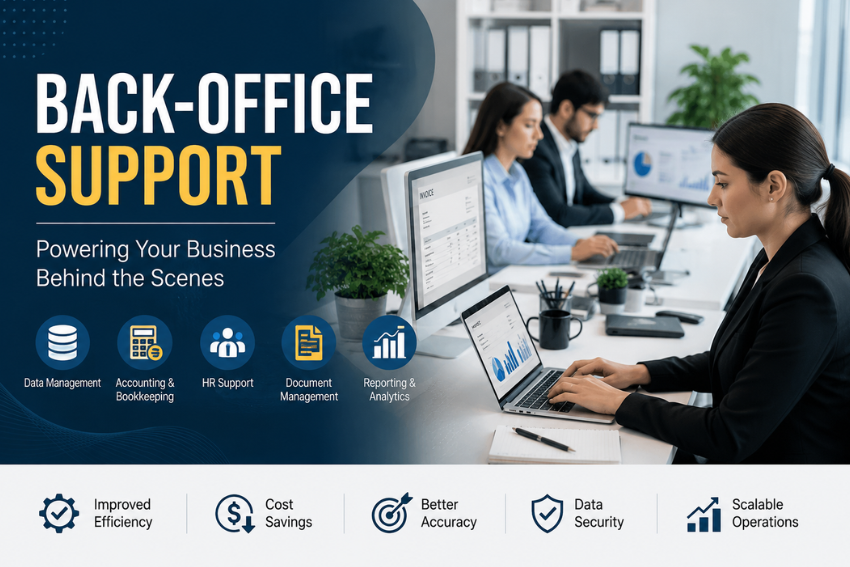
What is Back-Office Support?
The back-office support encompasses the administrative and operational tasks carried out by a company without direct interaction with customers so as to make it run efficiently.
These teams are responsible for critical business functions supporting departments like sales, customer service and marketing that interact with customers.
Typical back-office responsibilities include:
- Accounting
- Human resources
- Payroll
- Procurement
- Inventory management
- Data processing
- Compliance management
- IT administration
- Documentation
- Reporting
Although customers may never communicate with back-office employees, the quality of these operations directly affects customer experiences.
Why Back-Office Support Matters
- Imagine a company with an outstanding sales team but inaccurate invoices.
- Or a retailer with thousands of daily orders but poor inventory tracking.
- Or a healthcare provider with experienced doctors but incomplete patient records.
In each situation, customer satisfaction eventually declines because internal operations fail to support business goals.
Strong back-office support helps businesses:
- Maintain accurate records
- Reduce operational delays
- Improve productivity
- Ensure regulatory compliance
- Minimize costly mistakes
- Support business expansion
- Improve employee efficiency
- Enable informed decision making
Without effective internal processes, even the best customer service strategy becomes difficult to sustain.
Core Functions of Back-Office Support
Back-office responsibilities vary across industries, but several core functions remain common across organizations.
Accounting and Finance
Financial management forms the foundation of every successful business.
Back-office finance teams manage:
- Accounts payable
- Accounts receivable
- Budget planning
- Financial reporting
- Tax preparation
- Expense tracking
- Cash flow monitoring
- Invoice processing
Accurate financial records help businesses make confident investment and operational decisions.
Benefits
- Better budgeting
- Regulatory compliance
- Improved financial visibility
- Reduced accounting errors
Human Resources Management
Employees represent one of the most valuable assets of any organization.
HR teams handle:
- Recruitment
- Employee onboarding
- Performance management
- Payroll coordination
- Benefits administration
- Employee documentation
- Training records
- Workplace compliance
Efficient HR operations improve employee satisfaction while reducing administrative burdens.
Payroll Processing
Payroll is one of the most critical business operations.
Payroll specialists ensure:
- Employees receive accurate salaries
- Tax deductions are calculated correctly
- Overtime payments are processed
- Compliance requirements are met
- Payroll reports remain accurate
Even minor payroll errors can damage employee trust.
Data Entry and Data Management
Every business generates large volumes of information.
Back-office teams organize data related to:
- Customers
- Products
- Sales
- Inventory
- Vendors
- Financial transactions
- Employees
Well managed data improves reporting accuracy and business intelligence.
Inventory Management
For manufacturers, wholesalers, and retailers, inventory accuracy is essential.
Responsibilities include:
- Stock monitoring
- Warehouse coordination
- Purchase planning
- Inventory reconciliation
- Product categorization
- Order tracking
Effective inventory management prevents stock shortages and overstocking.
Procurement
Procurement teams purchase goods and services required for business operations.
Their work includes:
- Vendor selection
- Supplier evaluation
- Contract management
- Purchase order processing
- Cost negotiations
- Quality verification
Efficient procurement lowers operational expenses while ensuring product quality.
Compliance Management
Businesses must comply with numerous legal and industry regulations.
Compliance teams manage:
- Internal audits
- Policy implementation
- Documentation
- Regulatory reporting
- Risk management
- Data privacy requirements
Strong compliance reduces legal and financial risks.
IT Administration
Technology supports nearly every business process today.
Back-office IT professionals oversee:
- Network maintenance
- System updates
- User account management
- Cybersecurity
- Software implementation
- Data backup
- Technical troubleshooting
Reliable IT infrastructure minimizes downtime and protects sensitive business information.
Document Management
Businesses create thousands of documents every year.
Document management includes:
- Digital filing
- Version control
- Record retention
- Secure storage
- Retrieval systems
- Archiving
Organized documentation supports compliance and improves productivity.
Reporting and Business Analytics
Business leaders depend on accurate reports to make informed decisions.
Back-office teams prepare:
- Financial reports
- Sales summaries
- Operational dashboards
- Employee performance reports
- Inventory reports
- Budget analyses
Timely reporting enables proactive decision making.
Industries That Rely on Back-Office Support
Almost every industry depends on efficient internal operations.
Healthcare
Healthcare organizations require back-office teams to manage:
- Medical billing
- Insurance claims
- Patient records
- Appointment scheduling
- Regulatory compliance
Banking and Financial Services
Banks rely on back-office operations for:
- Transaction processing
- Loan documentation
- Fraud monitoring
- Compliance reporting
- Risk assessment
Ecommerce
Online retailers use back-office support for:
- Order processing
- Inventory management
- Returns management
- Supplier coordination
- Product data management
Manufacturing
Manufacturers depend on internal teams to manage:
- Procurement
- Production planning
- Warehouse operations
- Supply chain documentation
- Quality control records
Real Estate
Real estate firms manage:
- Property documentation
- Contract administration
- Financial records
- Tenant databases
- Compliance paperwork
Education
Educational institutions rely on administrative teams for:
- Student records
- Payroll
- Admissions processing
- Financial management
- Compliance documentation
Top Benefits of Back-Office Support
Efficient back-office support can make a difference in a number of areas for businesses that invest in it.
Improved Operational Efficiency
Well-defined processes minimize delays, and automate repetitive tasks. Staff save time on correcting mistakes and focus on productive work.
Better Accuracy
New, well-structured processes minimize payroll, invoice, reporting, and inventory errors. The more accurate you are, the more trust your customer will have and the less money will be lost.
Cost Savings
The automation and the standardization of workflows cut down administrative expenses. These cost savings include reduced processing errors, reduced paperwork, faster workflow and better resource allocation, and lower labor costs.
Increased Productivity
Administrative systems that function properly help employees work more efficiently. Staff can work on strategic initiatives rather than on searching for missing documents or correcting data.
Improved Compliance
There is ongoing change of regulation in different industries. Penalties and legal hassles can be avoided, and compliance with legal and regulatory requirements can be maintained with the assistance of professional back-office processes.
Enhanced Decision Making
Executives can act on opportunities and overcome challenges swiftly, thanks to reliable data. Reports and organized information provide a more accurate basis for business decisions.
Scalability
As businesses grow, they need to have systems that grow with them. A well-managed back office enables businesses to manage growing workloads without compromising quality.
Common Challenges in Back-Office Support
Even large organizations have to deal with back-office management issues. Businesses continue to expand, and their processes get more complicated, so it is important to identify and solve the potential hurdles that could impact overall performance.
Manual and Repetitive Processes
In many businesses, even the simple and repetitive tasks are still done with spreadsheets, paper or old systems. Manual processes are time-consuming and prone to mistakes.
Common examples include:
- Manually entering invoice data
- Updating inventory records by hand
- Processing employee timesheets
- Filing physical documents
Replacing repetitive tasks with automated workflows allows employees to focus on higher value responsibilities.
Data Entry Errors
Incorrect data can lead to serious operational issues.
Examples include:
- Incorrect customer information
- Duplicate records
- Payroll mistakes
- Inventory discrepancies
- Financial reporting inaccuracies
Implementing validation checks and standardized data entry procedures significantly reduces these risks.
Communication Gaps
Back-office departments often support multiple teams simultaneously. Poor communication between departments can delay projects and create unnecessary confusion.
For example:
- Sales teams may promise delivery dates without checking inventory.
- Finance may approve payments without complete documentation.
- Procurement may order unnecessary supplies due to outdated inventory records.
Clear communication channels help prevent these issues.
Compliance Risks
There are different types of regulations and laws that are enforced on businesses. Failing to have the required paperwork, reporting errors or inadequate record keeping may lead to fines and reputation damage.
Compliance checks should be conducted regularly and clear records should be kept of all key processes for all organizations.
Limited Visibility into Operations
Without centralized reporting, managers may struggle to monitor performance and identify bottlenecks.
A lack of visibility can make it difficult to answer questions such as:
- Which processes consume the most time?
- Where do errors occur most frequently?
- Which departments need additional resources?
Real time dashboards and reporting tools provide greater operational transparency.
Scaling Challenges
As businesses expand, transaction volumes, employee numbers, and customer demands increase rapidly.
Without scalable systems, organizations may experience:
- Slower processing times
- Higher operational costs
- Increased employee workload
- Declining service quality
Planning for growth helps businesses avoid these issues.
Best Practices for Effective Back-Office Support
Successful organizations continuously improve their internal operations. The following best practices help create efficient, reliable, and scalable back-office processes.
Standardize Workflows
Document every major process using clear, step by step procedures.
Standardization helps:
- Reduce inconsistencies
- Simplify employee training
- Improve accountability
- Increase operational efficiency
When everyone follows the same process, work becomes faster and more predictable.
Invest in Automation
Automation is one of the most effective ways to improve back-office productivity.
Common areas for automation include:
- Invoice processing
- Payroll calculations
- Inventory updates
- Employee onboarding
- Purchase approvals
- Report generation
- Document routing
Automation minimizes repetitive work while reducing human error.
Maintain Accurate Documentation
Every business process should include proper documentation.
Maintain records for:
- Financial transactions
- Vendor agreements
- Employee files
- Compliance activities
- Operational procedures
Well organized documentation improves transparency and simplifies audits.
Prioritize Data Security
Back-office teams handle sensitive information every day.
This may include:
- Employee records
- Financial information
- Customer data
- Vendor contracts
- Tax documents
Protect this information by implementing:
- Multi factor authentication
- Role based access controls
- Regular backups
- Data encryption
- Security awareness training
Strong security practices reduce the risk of cyber threats and data breaches.
Measure Performance with KPIs
Key Performance Indicators help businesses evaluate operational efficiency.
Useful back office KPIs include:
- Invoice processing time
- Payroll accuracy
- Order processing speed
- Inventory accuracy
- Procurement cycle time
- Employee onboarding time
- Compliance audit scores
Tracking these metrics highlights opportunities for continuous improvement.
Encourage Cross Department Collaboration
In the back office, there should be collaboration between teams and customer facing teams.
There are regular meetings between finance, operations, HR, sales, and customer support to enhance coordination and minimize misunderstandings.
Improved collaboration results in quicker problem solving and increased organizational effectiveness.
Provide Ongoing Employee Training
Technology, regulations, and business processes evolve constantly.
Regular training helps employees:
- Learn new software
- Stay compliant with regulations
- Improve productivity
- Develop problem solving skills
- Deliver higher quality work
Continuous learning supports long term operational excellence.
Technologies Transforming Back-Office Support
Modern businesses increasingly rely on technology to improve speed, accuracy, and scalability.
Cloud Computing
Cloud based systems enable employees to access business information securely from any location.
Benefits include:
- Remote accessibility
- Lower infrastructure costs
- Automatic updates
- Better collaboration
- Improved disaster recovery
Artificial Intelligence
Artificial intelligence helps automate repetitive processes while improving decision making.
Common applications include:
- Invoice recognition
- Intelligent document processing
- Chat assistance for employees
- Fraud detection
- Predictive analytics
- Workflow optimization
AI allows teams to process larger workloads with greater accuracy.
Robotic Process Automation
Robotic Process Automation, commonly known as RPA, automates repetitive digital tasks that follow predefined rules.
Examples include:
- Data migration
- Form processing
- Payment reconciliation
- Report generation
- Customer record updates
RPA reduces processing time while increasing consistency.
Enterprise Resource Planning Systems
ERP platforms integrate multiple business functions into one centralized system.
Typical modules include:
- Finance
- Procurement
- Inventory
- Human resources
- Manufacturing
- Sales
A unified system improves visibility across the organization and eliminates data silos.
Business Intelligence Tools
Business intelligence software converts operational data into meaningful insights.
Interactive dashboards allow managers to:
- Monitor performance
- Identify trends
- Forecast demand
- Measure productivity
- Support strategic planning
Data driven decisions improve long term business outcomes.
In House vs Outsourced Back-Office Support
Businesses often choose between managing back-office operations internally or partnering with a specialized service provider.
In House Back-Office Support
Advantages
- Greater operational control
- Direct oversight of employees
- Easier alignment with company culture
- Immediate communication
Limitations
- Higher staffing costs
- Increased infrastructure expenses
- More administrative responsibilities
- Limited scalability
Outsourced Back-Office Support
Outsourcing involves hiring an external company to manage selected business processes.
Advantages
- Lower operating costs
- Access to experienced professionals
- Faster scalability
- Advanced technology without large investments
- Increased focus on core business activities
Considerations
- Select a reputable provider.
- Define clear service level agreements.
- Maintain regular communication.
- Monitor performance consistently.
Many growing businesses adopt a hybrid approach by keeping strategic functions in house while outsourcing routine administrative tasks.
How to Choose the Right Back-Office Support Provider
Choosing the right partner can positively affect the operational efficiency. Here are a few things to keep in mind when you’re making a decision.
- Industry Experience: Select a provider that has experience in your industry. Onboarding time is reduced and the quality of service is enhanced due to industry specific knowledge.
- Technology Capabilities: Assess if provider is equipped with state-of-the-art software, automation, cloud and secure systems. Technology-based providers can provide more precise and timely results.
- Security Standards: Inquire about data protection policies, data access controls, backup procedures, compliance certifications and cybersecurity practices. Security of confidential information is always paramount.
- Scalability: It’s important that your provider can support your business as it grows. Make sure that they’re able to manage more transactions without quality losses.
- Transparent Pricing: See the value of the services you are being charged for. Compare pricing models on terms of monthly fees, transaction fees, setup fees and extra service fees. Transparent pricing helps avoid unexpected expenses.
- Customer Support: This is a critical aspect where dependable communication is crucial. Look for a provider that provides dedicated account managers, frequent performance reports, quick responses and several communication methods. Successful partnerships over the longer term depend on strong support.
Future Trends in Back-Office Support
Digital transformation and intelligent automation are the drivers of the future of back-office support. Key trends include:
- Greater AI Adoption: As AI becomes more prevalent, it will effectively take care of repetitive admin tasks and aid in making more informed decisions.
- Hyper Automation: AI and automation, analytics and workflow management will be used together to automate business processes in bulk instead of tasks.
- Remote Back Office Teams: Cloud technology enables organizations to build distributed teams across multiple locations while maintaining productivity.
- Predictive Analytics: Increasingly, organizations will be relying on predictive models to anticipate demand, manage inventory, minimize risks, and optimize operations.
- Enhanced Cybersecurity: As businesses store more digital information, investments in cybersecurity will continue growing to protect sensitive data and maintain customer trust.
Conclusion
While back-office support may work on the sidelines, its contributions can be felt in every aspect of a company. These core activities help your business stay on the right side of compliance, processing data, and supporting technology infrastructure while managing finances and payroll.
Businesses with streamlined back-office operations enjoy higher productivity, reduced overheads, higher data quality and better business decisions. This not only streamlines processes and reduces manual work but also safeguards sensitive data and optimizes business operations, ensuring that businesses are prepared to face future challenges with ease.
From bolstering your internal team to outsourcing certain processes or a mix of both, any back-office support strategy can ensure your organization stays agile, competitive, and ready for future growth. Digital technologies are constantly developing, and companies that modernize their back-office processes will be in a better position to provide outstanding customer experiences and work towards long-term success.
Frequently Asked Questions
What is Back-Office Support?
Back-office support encompasses internal business operations like accounting, payroll, HR, procurement, compliance, IT administration, and data handling, all contributing to the organization’s smooth running behind the scenes.
Why is Back-Office Support important?
It boosts efficiency, cuts down on mistakes, helps with compliance, decreases expenses, increases productivity, and helps companies grow.
Which industries use Back-Office Support?
Industries that almost every industry can benefit from back-office operations include healthcare, finance, retail, ecommerce, manufacturing, education, logistics, and real estate.
Can small businesses benefit from Back-Office Support?
Yes. Small companies can benefit greatly from either outsourcing or structuring back-office tasks, freeing up time for the owners to concentrate on growth, consumers and innovation.
What technologies improve Back-Office Support?
Cloud computing, artificial intelligence, Robotic Process Automation, ERP systems, workflow automation platforms, and business intelligence tools all improve efficiency and accuracy.