FRP Bypass Tools are essential utilities for anyone who has been locked out of their Android device after a factory reset. This security feature, known as Factory Reset Protection (FRP), is a powerful deterrent against theft, but it can become a major inconvenience when you forget your own Google Account credentials. Thankfully, many reliable and free tools exist that can help you regain access to your device using a PC.
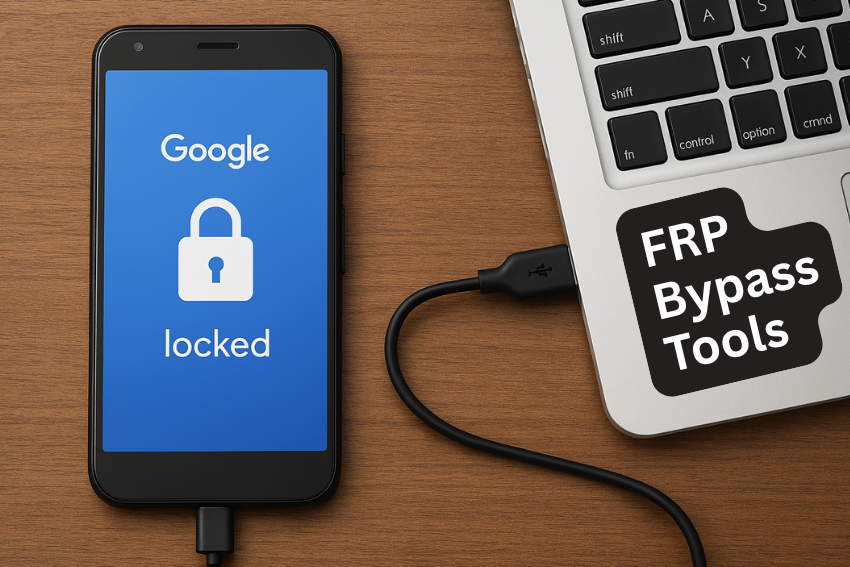
In this in-depth guide, we explore the top 10 Free FRP Bypass Tools available for both Android devices and PC, detailing their features, compatibility, and how they work.
Understanding Factory Reset Protection (FRP)
Introduced with Android 5.1 (Lollipop), Factory Reset Protection (FRP) is a critical security measure designed to protect your device from unauthorized use after a factory reset. When a factory reset is performed outside of the device’s main Settings menu (for example, via Recovery Mode or the hardware buttons), FRP requires the user to sign in with the last Google Account that was registered on the device.
If you are the legitimate owner but have forgotten the account details or purchased a second-hand phone that was not properly wiped by the previous owner, your phone becomes locked, displaying the “Google Lock” screen. This is where a reliable FRP bypass tool becomes absolutely necessary to restore the device to usable condition.
The Top 10 Free FRP Bypass Tools for Android and PC
The methods used to bypass FRP are constantly changing as Google and Android manufacturers update their security patches. The tools listed below represent a mix of dedicated software and community-developed solutions known to work on various Android versions and brands.
SamFw FRP Tool
SamFw is currently one of the most highly-regarded and frequently updated FRP bypass tools, especially within the Samsung community. It provides a simple, clean, and professional interface, which is a major advantage over many older, complex utilities.
- Primary Focus: Excellent and consistent support for Samsung Galaxy devices. It is the go-to utility for a wide range of Samsung models, including those running the latest Android versions.
- Key Features:
- One-Click Removal: Often achieves one-click FRP removal on many Samsung models by utilizing special communication protocols.
- ADB and Test Mode Support: Supports enabling ADB (Android Debug Bridge) and accessing hidden test modes (like $#0#) to facilitate the bypassing procedure.
- Advanced Functions: Includes useful features like disabling the security Knox and accessing download mode functions directly from the PC.
- Automatic Detection: Reads and displays critical device information like model number and software version automatically, which is vital for selecting the correct exploit method.
- PC Requirement: Requires a Windows PC.
- Unique Selling Point: Its regular updates make it one of the most reliable FRP bypass tools for modern devices with recent security patches.
GSM Flasher ADB Bypass FRP Tool
This is a robust and versatile FRP bypass tool that is highly valued for its multi-brand compatibility and its reliance on the powerful ADB command interface.
- Primary Focus: Broad multi-brand support, covering Samsung, HTC, Huawei, LG, and many others. It is particularly effective for devices that allow or can be tricked into enabling USB debugging.
- Key Features:
- ADB Protocol: Bypasses the Google FRP lock by sending specific commands via the ADB interface, removing the need for screen-based tricks.
- Lock Removal: In addition to FRP, it possesses capabilities to sometimes remove existing screen locks such as PIN, pattern, and password locks, providing an all-in-one solution for forgotten credentials.
- System Integrity: It is lightweight and operates by modifying specific security parameters rather than requiring extensive, riskier firmware flashing.
- PC Requirement: Windows PC. The successful operation hinges on correctly installing the device-specific ADB drivers on your computer.
- Best For: Technicians and advanced users comfortable working with connectivity and driver setup to utilize its command-line power.
Pangu FRP Bypass Tool
Pangu has earned its reputation as a community favorite, often working in conjunction with a separate application file to provide a direct approach to bypass the Google account verification screen.
- Primary Focus: Broad Android compatibility, known for its effectiveness on mid-range Android OS versions (e.g., Android 6, 7, and 8) through exploiting software gaps.
- Key Features:
- APK Facilitation: The tool is often used to get the device into a state where a separate FRP bypass APK file can be installed, which then grants temporary access to the device settings.
- New Account Setup: Once the core exploit is executed, the tool helps the user navigate the device interface to remove the locked Google account and register a new, legitimate one.
- Quick Execution: When the specific vulnerability for a device is known, this method is often very fast, requiring minimal interaction once the initial connection is established.
- PC Requirement: The PC is primarily required to download the necessary files, manage the process, and potentially use it with an OTG (On-The-Go) cable to transfer the bypass file to the locked device.
D&G Password Unlocker
D&G Password Unlocker is an efficient, free utility focused on unlocking various Android devices and dealing with multiple types of security hurdles, not just FRP.
- Primary Focus: Extensive brand support including popular manufacturers like Samsung, Motorola, Huawei, HTC, and Lenovo. It aims to be a universal FRP bypass tool for many scenarios.
- Key Features:
- Universal Unlocker: Capable of removing not only the FRP lock but also standard screen locks like PIN, pattern, and password, making it a highly versatile emergency tool.
- Firmware Support: Supports a wide range of Android OS versions, though its highest success rate is often reported on Android 4.0 up to Android 6.0 and certain security patched versions thereafter.
- USB Integration: The entire operation is conducted via a stable USB connection to the Windows PC, with the tool guiding the user to select the appropriate brand and model.
- PC Requirement: Requires a stable Windows PC environment.
- Consideration: As a free tool without a dedicated official website, users must be highly cautious to download it from a credible and verified source to mitigate the risk of malicious software.
FRP Bypass APK (Direct Android Method)
This method involves an application package file that is the central element of many FRP removal procedures. It is a direct approach, though it still often relies on a PC to initiate the process.
- Primary Focus: To directly exploit a security gap on the locked Android device, granting immediate temporary access to the system settings.
- Key Features:
- Settings Access: Once installed and run, the APK forces open the device’s Settings menu, bypassing the initial setup wizard and the Google Account verification loop.
- Account Management: Users can then navigate to the ‘Accounts’ section to remove the locked Google account or add a new one, thereby resolving the FRP lock permanently.
- Exploit Dependent: Success relies on finding and exploiting a specific loophole in the setup wizard, such as an accessible browser link via the keyboard, emergency dialer, or a QR code exploit.
- PC Requirement: Often required to download the APK and transfer it, but the actual FRP bypass process runs on the Android device itself.
- Workflow: This method usually requires the user to first gain access to a web browser on the locked phone, which is typically facilitated by one of the PC tools or clever on-device tricks.
SideSync (Older Samsung Devices)
SideSync was initially an official Samsung utility for device management but was famously repurposed by the community as a free FRP bypass tool for older devices.
- Primary Focus: Specific models of older Samsung Galaxy devices that utilized this synchronization software.
- Key Features:
- Browser Launch: The key function in the bypass process was its ability to immediately launch the device’s web browser when connected to a PC running the SideSync software.
- File Transfer Enabler: This browser access then allowed the user to download an FRP bypass APK or access a file manager to continue the exploit.
- Synchronization Bridge: It acted as a necessary bridge between the PC and the locked phone, using the official software channel to temporarily circumvent the FRP lock screen.
- PC Requirement: Windows PC.
- Current Status: Due to newer Android versions patching the underlying vulnerability, its effectiveness is now limited almost exclusively to very old devices running Android 5 and 6, but it remains a relevant historical solution.
FRP Lock Google Verification Bypass Tool Software
This term refers to a wide collection of software, often developed by various groups, that focuses specifically on addressing the Reactivation Lock or Google verification error.
- Primary Focus: General Android unlocking for various brands, typically focused on devices running operating systems from Android 5.1.1 up to Android 7 or 8, where many simple public exploits existed.
- Key Features:
- Automated Exploits: The software automates known security vulnerabilities for a range of devices, simplifying a complex manual process into a few clicks.
- Simple UI: Designed with a relatively simple interface to help novice users skip the initial Google sign-in step without needing deep technical knowledge.
- Generic Applicability: Unlike brand-specific tools, these utilities often attempt to apply a generic bypass method across multiple manufacturers.
- PC Requirement: Windows PC.
- Recommendation: When searching for this type of software, always prioritize tools from well-known technology forums and utilize antivirus software during the download process for maximum safety.
Odin Flash Tool
Odin is not inherently an FRP bypass tool; it is the official firmware flashing utility for Samsung devices, but it is heavily utilized by professionals for advanced FRP removal.
- Primary Focus: Advanced, low-level access and manipulation of Samsung device firmware.
- Key Features:
- Firmware Flashing: Allows the user to flash entire or partial firmwares, known as “combination files,” which are developer versions designed to disable the FRP lock temporarily.
- Download Mode: Operates exclusively when the Samsung device is in its Download Mode, which is a protected state for system changes.
- Reactivation Bypass: Flashing specific files can sometimes entirely remove the device’s FRP state by resetting security flags within the operating system.
- PC Requirement: Windows PC.
- Expert Use Only: This method carries a high risk of “bricking” (rendering the device permanently unusable) if incorrect files are flashed. It is strictly recommended only for expert users or professional repair technicians.
Remote Google Account Bypass Removal Service
This method is an outsourced, non-software solution where a technical service provider uses private, highly effective tools to remove the FRP lock on a client’s behalf.
- Primary Focus: Achieving a high success rate on difficult, modern devices (e.g., those with the latest Android 14/15 security patches) where public, free tools have failed.
- Key Features:
- Professional Expertise: The service utilizes proprietary software and server-based methods, often involving unlocking codes or specialized developer access, which are not available to the general public.
- Remote Operation: The technician connects remotely to the client’s PC and performs the complex bypass procedure without the user needing to handle the technical steps.
- Guaranteed Success (Often Paid): While some community members offer this for free, most services are paid, offering a high-reliability solution for complex scenarios.
- PC Requirement: Windows PC and a reliable, high-speed internet connection for the remote session.
- Caution: Thoroughly vet the service provider, as granting remote access to your computer requires a significant level of trust.
HushSMS
HushSMS is a clever, lateral approach to FRP removal that utilizes a feature of the messaging system to bypass the limitations of the setup wizard.
- Primary Focus: Exploiting a vulnerability in how the device handles certain types of text messages to gain an entry point.
- Key Features:
- Messaging Exploit: A specially formatted, silent (Hush) SMS message is sent to the locked phone. This message is designed to contain a link or command that, when received, triggers the phone to open a web browser or the Dialer application.
- Gaining Entry: Once the browser or Dialer is opened, the user can then enter a code (like the SamFw Test Mode code) or navigate to download an FRP bypass APK.
- Creative Solution: It is an ingenious method that leverages a communication function rather than direct USB software intervention.
- PC Requirement: A PC running a specific application capable of sending HushSMS messages or a separate modem/device with advanced messaging capabilities.
- Usage: This is a more complex, multi-step process that is typically sought out when the simpler one-click or APK methods have failed.
Important Considerations Before Using FRP Bypass Tools
While these FRP bypass tools are incredibly helpful, it is crucial to understand the context of their use and follow best practices for security and legality.
- Legal Ownership is Mandatory: You must only use an FRP bypass tool on a device you legally own and have proof of purchase for. Using these tools on a stolen or found device is illegal and violates the law.
- Security Risks of Free Tools: Many free FRP bypass tools are hosted on unofficial forums. Always download the software from known, reputable sources. Run the downloaded file through a reliable antivirus program to scan for potential malware or viruses, as some free utilities can be bundled with unwanted software.
- Data Integrity: Although the goal of an FRP bypass is usually to recover a functional device after a factory reset (meaning all data is already wiped), highly technical methods like using the Odin Flash Tool carry a residual risk of further device damage or data corruption. Proceed with caution and follow instructions precisely.
Conclusion
The world of FRP bypass tools is constantly evolving in response to continuous security updates from Android and manufacturers. While no single tool can guarantee success on every device and every patch level, the ten options listed above represent the most powerful and widely used free solutions available for Android and PC today.
For Samsung users, the SamFw FRP Tool is the current king due to its modern compatibility and ease of use. For multi-brand and older devices, generic tools utilizing ADB commands or the FRP Bypass APK remain valuable workhorses. By choosing a trusted tool and adhering to safe downloading practices, you can successfully remove Google Lock and regain full control over your Android device.
Frequently Asked Questions (FAQs)
What is a “Combination File” in the context of FRP bypass?
A Combination File is a special type of firmware file used almost exclusively with Samsung devices and the Odin tool. It is a stripped-down, factory-level software version designed for technicians to test and diagnose hardware. Crucially, this firmware often has the FRP lock feature disabled, allowing a temporary bypass. After flashing the Combination File, the user typically flashes the official firmware again to restore the device to normal operation, but without the FRP lock enabled.
Does bypassing FRP factory reset my phone again?
In most cases, yes, the process of bypassing the FRP lock involves or results in a complete factory reset. Factory Reset Protection is part of the initial setup process, and the act of removing it usually requires the device to be reset to factory settings one more time after the lock has been circumvented. It is important to remember that any data on the device before the reset will be lost.
Why do some tools work only on older Android versions?
Google consistently patches security vulnerabilities with every new Android release and monthly security update. The simpler, free FRP bypass tools often rely on exploiting specific, known flaws in older software versions. Once Google learns of these exploits, they are quickly eliminated in new updates, rendering the older bypass methods ineffective on modern Android OS versions (like Android 13, 14, and 15). Newer tools, like SamFw, must discover and implement completely new, often more complex, bypass methods.