ROM Sites for Game Emulators (Gamulator) have become an essential resource for retro gaming enthusiasts who want to enjoy classic console games on modern devices. Whether you want to revisit childhood favorites or discover iconic titles for the first time, a reliable ROM website makes the experience safer, faster, and more enjoyable. However, not every website offers secure downloads or authentic game files. Some platforms contain misleading advertisements, broken downloads, or even malicious software that can put your device at risk.
Choosing a trusted ROM site is just as important as selecting the right emulator. A reputable platform provides organized game libraries, verified files, emulator compatibility information, and a smooth browsing experience. It also helps preserve gaming history by making it easier for players to access classic titles responsibly.
In this guide, you’ll learn about some of the best ROM sites for game emulators, including their standout features, advantages, limitations, and the types of gamers they serve best. We’ll also share practical tips for downloading ROMs safely and explain important legal considerations so you can make informed decisions before adding classic games to your collection.
What are the Best ROM Sites for Game Emulators?
The best ROM sites for game emulators include:
- CoolROM
- EmulatorZone
- Vimm’s Burrow
- Gamulator
- PCSX2 (Emulator, not a ROM site)
- Retrostic
Each platform offers unique advantages, from extensive ROM libraries and emulator downloads to user friendly interfaces and strong community trust. Choosing the right platform depends on the console you want to emulate, your preferred download experience, and your focus on safety.
Why Choosing the Right ROM Site Matters
Many gamers assume that every ROM website offers the same experience. In reality, the quality and reliability of these platforms vary significantly. A trustworthy ROM site protects users from unnecessary risks while making it easier to find the games they want.
Here are several reasons why selecting the right website matters.
Better Security
Unverified ROM websites often contain misleading download buttons, intrusive pop ups, or harmful software disguised as game files. Trusted websites reduce these risks by offering cleaner downloads and better moderation.
Reliable Game Files
Corrupted ROM files can cause crashes, loading errors, or compatibility problems with emulators. Reputable websites maintain organized libraries that improve the likelihood of downloading working game files.
Faster Downloads
Well maintained platforms generally provide stable download servers, making it quicker to access games without navigating multiple redirects.
Broad Console Support
The best ROM sites support games from many classic systems, including:
- Nintendo Entertainment System
- Super Nintendo Entertainment System
- Nintendo 64
- Game Boy
- Game Boy Advance
- Nintendo DS
- GameCube
- Sega Genesis
- Sega Dreamcast
- PlayStation
- PlayStation 2
This variety allows gamers to build an extensive retro gaming collection from a single source.
Improved User Experience
A clean website with search filters, alphabetical listings, and console categories helps users locate games quickly without frustration.
Long Term Community Reputation
Websites that have served retro gaming communities for many years often earn trust through consistent updates, accurate information, and reliable downloads.
How We Selected These ROM Sites
Not every ROM website deserves a place on this list. We evaluated each platform using practical criteria that matter to everyday gamers.
- Library Size: A larger game collection gives users more choices across multiple gaming systems.
- Website Reputation: We considered each platform’s long standing reputation within the retro gaming community.
- Ease of Navigation: Simple menus, responsive search functions, and organized categories make finding games much easier.
- Download Experience: Reliable downloads with minimal interruptions provide a smoother overall experience.
- Emulator Availability: Some websites also offer emulator downloads, allowing users to access everything they need in one place.
- Platform Compatibility: The best websites support ROMs that work with popular emulators across Windows, macOS, Linux, and Android.
- Overall User Experience: Clean layouts, helpful descriptions, and organized game listings create a more enjoyable browsing experience.
6 Best ROM Sites for Game Emulators for Safe Retro Gaming Downloads
Below are the best ROM sites for game emulators (Gamulator) with trusted downloads, safety tips, legal guidance, and top platforms for retro gaming.
CoolROM
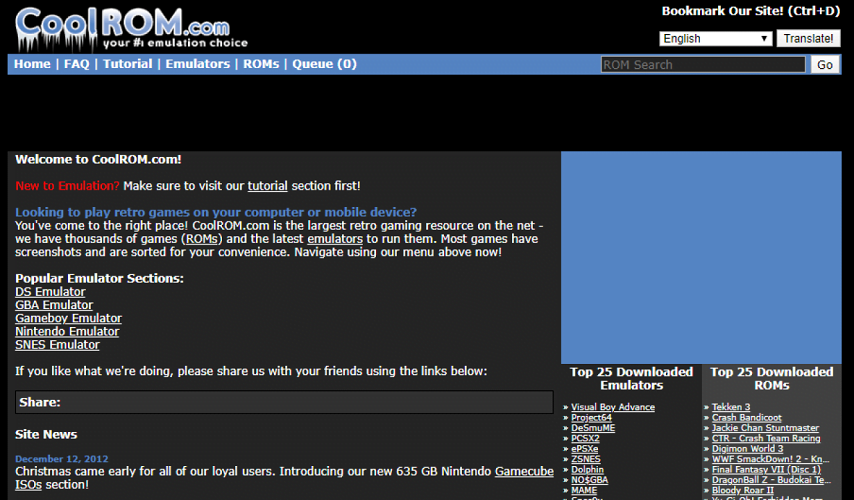
CoolROM has remained one of the most recognized names in the retro gaming community for many years. Its extensive collection of ROMs and emulators has made it a popular destination for players looking to enjoy classic games from multiple generations of gaming consoles.
The website offers downloads for dozens of systems, making it suitable for both beginners and experienced emulator users. In addition to ROM files, visitors can also find emulator software, screenshots, gameplay information, and game ratings.
Its long history has helped establish a loyal user base, although users should always pay close attention to download buttons to ensure they select the correct files.
Key Features
- Large collection of ROMs
- Emulator downloads in one place
- Console based browsing
- Game screenshots
- User ratings
- Search functionality
- Support for numerous classic consoles
Pros
- Extensive game library
- Easy console navigation
- Supports many emulator platforms
- Long established reputation
- Helpful game descriptions
Cons
- Advertisements may confuse first time visitors
- Website interface feels dated compared to newer platforms
Best For
CoolROM works well for gamers looking for an all in one resource that includes both ROMs and emulator software.
Supported Consoles
CoolROM supports games for many popular systems, including:
- NES
- SNES
- Nintendo 64
- Game Boy
- Game Boy Advance
- Nintendo DS
- GameCube
- Wii
- PlayStation
- Sega Genesis
- Sega Saturn
- Dreamcast
- Arcade systems
Why Choose CoolROM?
If you enjoy exploring games from multiple console generations, CoolROM offers one of the broadest selections available. Its combination of emulator downloads and extensive ROM libraries makes it especially convenient for newcomers building their first retro gaming setup.
EmulatorZone
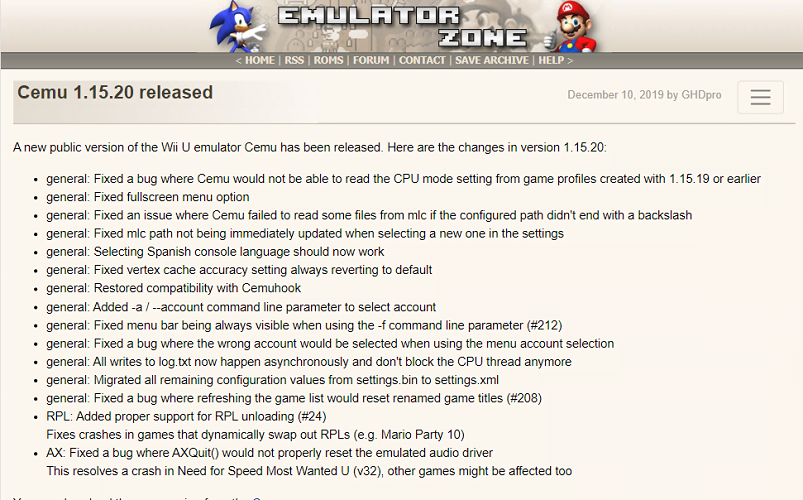
EmulatorZone has built its reputation by focusing heavily on emulator software while also providing access to ROM related resources. The website offers comprehensive information about emulators for numerous gaming systems, helping users select software that matches their operating system and gaming preferences.
Unlike some ROM websites that prioritize game downloads, EmulatorZone places greater emphasis on helping users understand which emulator works best for each console.
This educational approach makes the platform particularly valuable for beginners entering the world of emulation.
Key Features
- Large emulator collection
- Console specific recommendations
- Emulator guides
- Download links
- Platform compatibility information
- Organized interface
Pros
- Excellent emulator selection
- Helpful setup information
- Beginner friendly navigation
- Covers many gaming systems
- Frequently referenced within retro gaming communities
Cons
- Smaller ROM emphasis compared to dedicated ROM websites
- Design appears relatively simple
Best For
EmulatorZone is ideal for users who want reliable emulator recommendations before downloading game files.
Supported Systems
The platform provides resources for:
- NES
- SNES
- Nintendo 64
- Game Boy family
- Nintendo DS
- PlayStation
- PlayStation 2
- Sega Genesis
- Dreamcast
- Arcade emulators
- PSP
Why Choose EmulatorZone?
Many newcomers struggle to identify the right emulator for each gaming system. EmulatorZone simplifies this process by organizing software according to console type and explaining compatibility, making it easier to get started without unnecessary trial and error.
Vimm’s Burrow
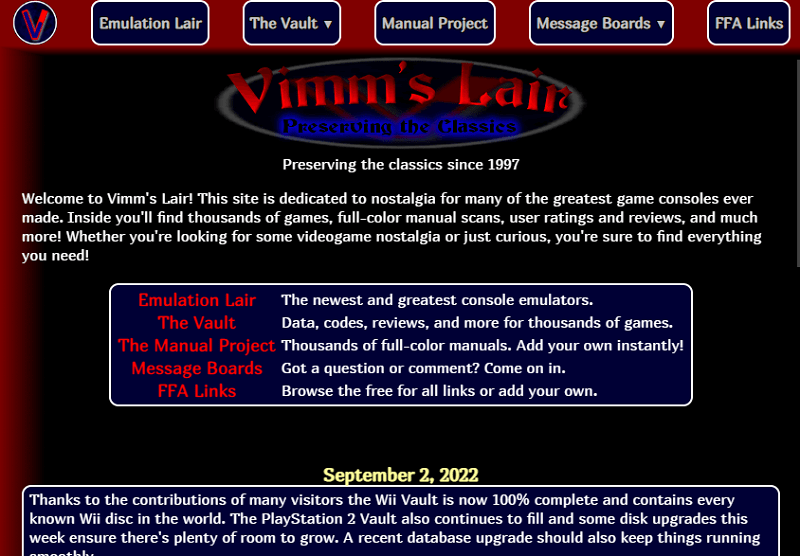
Vimm’s Burrow is widely regarded as one of the most respected resources in the retro gaming community. Rather than focusing on flashy website design, it emphasizes accuracy, preservation, and a clean user experience. Many gamers appreciate its straightforward interface, detailed game information, and commitment to maintaining an organized library.
The platform has earned trust over the years because of its consistency and dedication to preserving classic gaming history. Its game pages often include descriptions, release details, cover artwork, and compatibility information that help users identify the correct version before downloading.
Unlike many ROM websites that rely heavily on advertisements, Vimm’s Burrow provides a cleaner browsing experience, making it easier for users to locate games without navigating through excessive distractions.
Key Features
- Well organized ROM library
- Detailed game information
- Console specific browsing
- Cover artwork for many titles
- Clean website layout
- Strong community reputation
- Focus on game preservation
Pros
- Trusted by retro gaming enthusiasts
- Simple and uncluttered interface
- Helpful game descriptions
- Easy navigation
- Excellent organization across multiple consoles
Cons
- Some game collections may be smaller than those found on broader ROM databases
- Download speeds can vary depending on server demand
Best For
Vimm’s Burrow is an excellent choice for gamers who value quality, organization, and historical preservation over flashy website features.
Supported Consoles
Its library includes games for systems such as:
- NES
- SNES
- Nintendo 64
- Game Boy
- Game Boy Advance
- GameCube
- Wii
- PlayStation
- Sega Genesis
- Dreamcast
Why Choose Vimm’s Burrow?
If your priority is finding well organized game libraries from a platform with a strong reputation among retro gaming enthusiasts, Vimm’s Burrow stands out as one of the most dependable choices. Its focus on preserving gaming history and maintaining a clean browsing experience continues to make it a favorite among collectors and longtime fans.
Gamulator
Gamulator has become a popular destination for retro gaming enthusiasts who want quick access to ROMs and emulators through a modern, easy to navigate website. Unlike many older ROM repositories, Gamulator features a cleaner interface that helps users browse games by console, genre, or popularity.
One of its biggest strengths is accessibility. Even first time users can quickly find games without navigating through confusing menus. The website also provides emulator downloads, making it convenient for anyone setting up a retro gaming library from scratch.
Gamulator regularly updates its collection and supports a wide range of classic gaming systems. Its organized layout helps users locate titles faster than many traditional ROM archives.
Key Features
- Modern and responsive website design
- Large collection of ROMs
- Emulator downloads available
- Search by console
- Popular games section
- Easy navigation
- Fast access to game pages
Pros
- User friendly interface
- Supports many gaming systems
- Good search functionality
- Emulator downloads in one place
- Suitable for beginners
Cons
- Advertisements may appear during browsing
- Download process can vary depending on the selected game
Best For
Gamulator is ideal for users who want a simple and modern website that combines ROMs and emulators in one location.
Supported Consoles
Gamulator supports ROMs for many popular platforms, including:
- Nintendo Entertainment System
- Super Nintendo Entertainment System
- Nintendo 64
- Game Boy
- Game Boy Advance
- Nintendo DS
- GameCube
- Wii
- PlayStation
- PlayStation Portable
- Sega Genesis
- Dreamcast
Why Choose Gamulator?
Gamulator offers an excellent balance between usability and content. Its clean interface reduces the learning curve for newcomers while still providing enough variety for experienced retro gamers.
PCSX2
Unlike the other platforms in this guide, PCSX2 is not a ROM site. It is one of the most popular PlayStation 2 emulators available today. It allows users to play compatible PlayStation 2 games on Windows, Linux, and macOS using legally obtained game discs or disc images.
Including PCSX2 in this article is important because many people searching for ROM sites also need a reliable emulator. Even the highest quality ROM or game backup is useless without compatible software to run it.
PCSX2 continues to receive updates that improve compatibility, graphics, controller support, and overall performance. It supports thousands of PlayStation 2 titles and offers features that were never available on the original console.
Key Features
- High compatibility with PlayStation 2 games
- High definition rendering
- Save states
- Custom controller configuration
- Widescreen support
- Graphics enhancements
- Performance optimization options
- Active developer community
Pros
- One of the most reliable PlayStation 2 emulators
- Excellent game compatibility
- Regular software updates
- Supports higher resolutions
- Extensive customization options
Cons
- Not a ROM download website
- Some demanding games require powerful hardware
- Initial setup may require configuration for optimal performance
Supported Platforms
PCSX2 is available for:
- Windows
- Linux
- macOS
Why PCSX2 Deserves a Place on This List
Many gamers begin searching for ROM sites before realizing they also need an emulator. PCSX2 fills that role for PlayStation 2 enthusiasts by providing a mature, feature rich emulator capable of delivering an outstanding gaming experience.
Retrostic
Retrostic has quickly gained popularity thanks to its clean interface, extensive ROM collection, and commitment to improving the user experience. The website offers games from numerous classic consoles while making navigation simple and intuitive.
Unlike older ROM websites that rely on cluttered layouts, Retrostic focuses on organized categories and detailed game pages. This makes it easier to discover both popular classics and lesser known titles.
Its growing library continues to attract retro gamers looking for a modern alternative to traditional ROM archives.
Key Features
- Extensive ROM library
- Modern interface
- Organized console categories
- Search functionality
- Game information pages
- Emulator resources
- Regularly expanding collection
Pros
- Easy to browse
- Attractive website layout
- Supports many classic systems
- Helpful game organization
- Suitable for beginners and experienced users
Cons
- Some niche titles may not be available
- Download availability can change over time
Best For
Retrostic is an excellent choice for gamers who prefer a modern browsing experience while accessing a broad collection of classic games.
Supported Consoles
Retrostic includes games for:
- NES
- SNES
- Nintendo 64
- Game Boy
- Game Boy Advance
- Nintendo DS
- GameCube
- Wii
- PlayStation
- PSP
- Sega Genesis
- Dreamcast
Why Choose Retrostic?
Retrostic combines an attractive interface with an extensive game catalog, making it one of the easiest ROM websites for both beginners and experienced collectors.
Compare ROM Sites
| Website | ROM Library | Emulator Downloads | Ease of Use | Best For |
|---|---|---|---|---|
| CoolROM | Excellent | Yes | Very Good | All around retro gaming |
| EmulatorZone | Moderate | Excellent | Excellent | Finding the right emulator |
| Vimm’s Burrow | Excellent | Limited | Excellent | Game preservation and trusted downloads |
| Gamulator | Excellent | Yes | Excellent | Modern user experience |
| PCSX2 | Not Applicable | Yes | Very Good | PlayStation 2 emulation |
| Retrostic | Excellent | Limited | Excellent | Large ROM collection with simple navigation |
Tips for Downloading ROMs Safely
Downloading game files from the internet requires caution. While reputable websites work to provide clean downloads, users should always follow safe browsing practices.
- Download from Trusted Sources: Choose websites with established reputations and positive community feedback. Avoid unknown websites that contain excessive advertisements or suspicious redirects.
- Scan Every Download: Use updated antivirus software to scan downloaded files before opening them.
- Avoid Misleading Download Buttons: Some websites display multiple download buttons that lead to advertisements rather than actual game files. Always verify that you are clicking the correct download link.
- Keep Your Emulator Updated: Developers regularly release updates that improve compatibility, security, and performance.
- Verify File Types: Most ROM files use recognized formats associated with specific consoles. Unexpected executable files should be treated with caution.
- Back Up Your Files: Keeping backup copies of your game library prevents data loss if files become corrupted.
Are ROM Downloads Legal?
This is one of the most common questions among retro gaming enthusiasts.
The legality of ROM downloads depends on several factors, including copyright law and local regulations.
Generally speaking:
- Most commercial video games remain protected by copyright.
- Downloading copyrighted ROMs without permission may violate applicable laws.
- Some developers release games into the public domain or offer them as freeware.
- Homebrew games are often distributed legally by their creators.
- If you own an original game, some jurisdictions may allow you to create a personal backup, although the legal rules vary by country.
Before downloading any ROM, review the copyright laws that apply in your region and respect the intellectual property rights of game developers and publishers.
Final Thoughts
Finding the best ROM sites for game emulators (Gamulator) is about more than accessing classic games. A trustworthy platform should offer reliable downloads, an organized library, clear navigation, and a positive user experience. Whether you are revisiting childhood favorites or exploring retro gaming for the first time, choosing reputable resources can save time and reduce unnecessary risks.
As you build your retro gaming collection, remember to download files responsibly, keep your emulator software updated, and follow the copyright laws that apply in your country. With the right combination of trusted resources and reliable emulators, you can enjoy classic games on modern hardware while helping preserve the legacy of video games for future generations.
Frequently Asked Questions
Which ROM site is the safest?
Well established platforms with strong community reputations generally offer the safest experience. Regardless of the website you choose, always scan downloaded files with antivirus software.
Which ROM site has the largest game collection?
CoolROM, Gamulator, and Retrostic are known for supporting a wide variety of classic gaming systems and extensive game libraries.
Can I use ROMs on Android?
Yes. Many Android emulators support ROM files for classic consoles. Ensure that you download an emulator compatible with the console you want to play.
Do I need an emulator to play ROMs?
Yes. ROM files require compatible emulator software to run on modern computers or mobile devices.
Is PCSX2 a ROM site?
No. PCSX2 is a PlayStation 2 emulator. It does not provide ROM downloads but enables users to play compatible PlayStation 2 game backups on supported devices.
Which website is best for beginners?
Gamulator and Retrostic offer modern interfaces that make it easy for new users to browse game collections, while EmulatorZone is an excellent resource for selecting the right emulator.