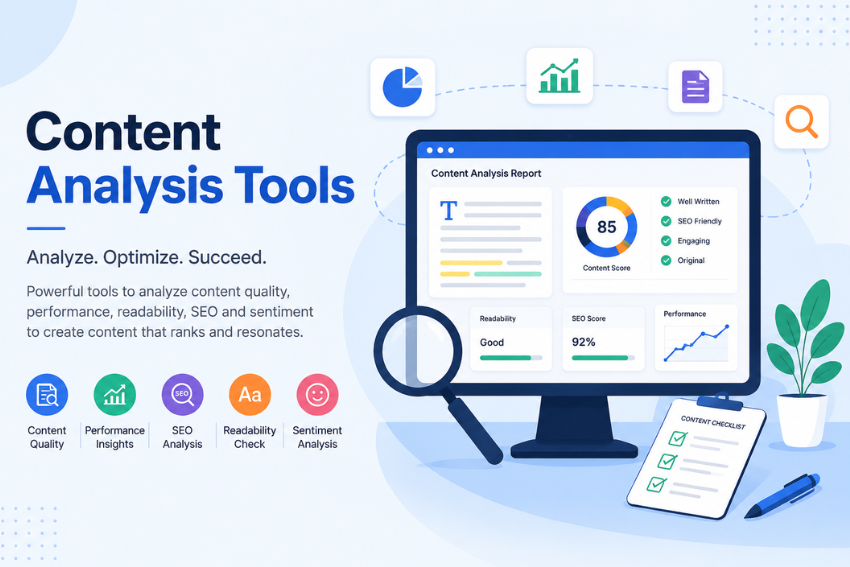
If you are serious about ranking higher on Google, you need the right content analysis tools in your corner. But here is the thing, you do not have to spend a fortune to get started. In fact, some of the most powerful content analysis tools on the market cost exactly zero dollars.
I have spent years testing SEO software across hundreds of websites, and I can tell you this, the free tier of many platforms today offers more firepower than paid suites did just a few years ago. Whether you are a solo blogger, a content manager at a growing agency, or a business owner trying to figure out why your traffic stalled, this guide will walk you through the top free tools that actually move the needle. Let us dive in.
What Are Content Analysis Tools?
Content analysis tools are software applications that evaluate your website’s content against various performance metrics. They look at everything from keyword usage and readability to technical SEO factors and user engagement signals. Think of them as your content’s personal health checkup.
These tools scan your pages, identify what is working, flag what is broken, and give you a roadmap for improvement. Some focus on on-page elements like titles and headings. Others dig into backlink profiles, competitor gaps, or how AI platforms like ChatGPT interpret your content. The best ones combine multiple data sources to give you a holistic view of your content’s performance.
Why Should You Use Content Analysis Tools?
Here is the reality, guessing does not work in SEO anymore. Google’s algorithms have become too sophisticated, and the competition is too fierce. Content analysis tools remove the guesswork and replace it with cold, hard data.
First, they save you time. Instead of manually reviewing every page on your site, these tools automate the heavy lifting. Second, they uncover issues you might miss, like duplicate meta descriptions, broken internal links, or content cannibalization where multiple pages compete for the same keywords. Third, they help you understand what your audience actually wants by showing you which topics drive engagement and which ones fall flat.
And here is the kicker, in 2026, you also need to optimize for AI platforms like ChatGPT, Claude, and Perplexity. Content analysis tools now include features that evaluate how well your content performs in AI-generated answers. That is a game changer.
What Makes a Great Free Content Analysis Tool?
Not all free tools are created equal. When evaluating content analysis tools, here is what I look for:
- Actionable insights. The tool should tell you what to fix, not just what is wrong.
- Ease of use. If you need a computer science degree to run a report, it is not worth your time.
- Data accuracy. Outdated or incomplete data is worse than no data at all.
- Integration capabilities. Can it connect with Google Search Console, Analytics, or other platforms you already use?
- Scalability. The free version should be useful for your current needs, with a clear upgrade path if you grow.
With those criteria in mind, let us explore the top 10 free content analysis tools that deliver real results.
Top 10 Free Content Analysis Tools to Boost SEO Performance
Google Analytics
Google Analytics 4 (GA4) is the foundation of any serious content analysis strategy. This free tool shows you exactly how much traffic comes from organic search, which pages drive results, and how visitors behave once they land on your site.
What makes GA4 particularly powerful for content analysis is its event-based model. You can track specific user interactions, like scroll depth, video plays, or form submissions, and tie them back to specific content pieces. The platform automatically categorizes traffic sources, so you can see how organic search compares with other channels sending users to your site.
For content teams, GA4’s content groups feature is a hidden gem. You can bucket related pages into categories and measure performance by theme, turning raw traffic numbers into a story about which topics drive engagement and which need attention.
Best for: Understanding how users interact with your content and which pages drive meaningful business outcomes.
Google Search Console
If GA4 tells you what users do on your site, Google Search Console tells you how they found you in the first place. This free tool from Google helps you monitor, maintain, and troubleshoot your site’s presence in Google Search results.
For content analysis, Search Console is invaluable. It shows you the exact search terms that trigger your website in Google’s results, including long, question-shaped queries people actually type. You can identify pages with declining performance, flag striking distance opportunities, and prioritize optimization tasks by estimated traffic impact.
In 2026, Google has expanded Search Console with platform properties that let you track how your social and video content performs across Instagram, TikTok, X, and YouTube within Google Search. The tool also now includes AI analysis features that interpret your search data and suggest improvements using natural language.
Best for: Identifying which keywords and pages drive organic traffic and uncovering optimization opportunities.
Google NotebookLM
Here is one you might not expect. Google NotebookLM is a free AI-powered research assistant that has become a secret weapon for content analysis in 2026.
NotebookLM lets you upload multiple sources, like competitor blog posts, case studies, and research papers, into a single notebook. The AI then automatically reads, organizes, and groups these sources into thematic labels. You can ask it to identify content gaps, analyze competitor strategies, and generate structured data tables that would take hours to build manually.
What makes NotebookLM particularly powerful is its grounded reasoning layer. Unlike generic AI chatbots, NotebookLM bases its analysis entirely on the sources you provide. That means its insights are accurate, trustworthy, and backed by real data.
SEO professionals are using NotebookLM for deep competitor analysis, content gap identification, and generating FAQ schema to enhance search visibility. Some are even calling it a potential replacement for paid tools like Surfer SEO.
Best for: Deep research, competitor analysis, and identifying content gaps without spending a dime.
Ahrefs Webmaster Tools
Ahrefs is widely considered one of the most powerful SEO platforms available, and their free Webmaster Tools tier gives you access to a surprising amount of functionality.
With a free Ahrefs account, you get access to six tools, including Site Explorer, Site Audit, and Web Analytics. Site Explorer lets you view SEO insights like backlinks, organic traffic, and organic keywords for websites you own. Site Audit crawls your website for technical issues, covering over 170 default checks. Web Analytics tracks where your traffic comes from, including from AI assistants, and lets you set up funnels and custom events.
The free plan includes 5,000 crawl credits per month per project and up to 1 million Web Analytics events per month. For most small to medium websites, that is more than enough to run regular content audits.
Ahrefs also offers AI Content Helper, which suggests relevant keywords and topics to improve your content. The free version gives you one document per month.
Best for: Technical SEO audits and backlink analysis for websites you own.
Semrush (Free Tier)
Semrush is another industry heavyweight, and its free tier is surprisingly generous. You get 10 daily searches across tools, the ability to create up to 5 projects, site audits on up to 100 pages, and tracking for up to 10 keywords in Position Tracking.
The free plan also includes access to Keyword Overview, Domain Overview, and basic competitor analysis. For content analysis specifically, you can use Semrush’s On-Page SEO Checker to analyze search intent, track keyword rankings, and identify optimization opportunities.
One of Semrush’s standout features in 2026 is its AI Visibility Toolkit, which tracks how your brand appears across ChatGPT, Google AI Overviews, and Perplexity. That is crucial for generative engine optimization (GEO).
Best for: Keyword research, competitor analysis, and AI visibility tracking.
Claude (Free Tier)
Anthropic’s Claude has emerged as a powerful content analysis tool for SEO professionals. Claude can review page copy, analyze crawl data, and examine Search Console exports to identify technical errors, on-page optimization gaps, weak content, and missed ranking opportunities.
What sets Claude apart is its ability to perform the same level of analysis as expensive paid tools, completely for free, once you provide the competitor text yourself. You can paste your content alongside top-ranking competitor content and ask Claude to compare them side by side.
Claude’s free tier has been upgraded in 2026, giving users more daily messages and access to advanced analysis capabilities. For SEO workflows, Claude excels at refinement, maintenance, and updating existing content, which is where many SEO professionals spend most of their time.
Best for: Content comparison, gap analysis, and generating actionable optimization recommendations.
ChatGPT Free
ChatGPT remains one of the most accessible content analysis tools available. Even with a free account, you can perform deep semantic and SEO analysis on your content.
You can ask ChatGPT to analyze your content for keyword density, readability, search intent alignment, and topical authority. It can suggest improvements to meta descriptions, title tags, and internal linking structures. For small businesses and solo creators, a free ChatGPT account combined with Google Search Console can cover all the basics of content optimization.
In 2026, ChatGPT’s free tier includes access to more advanced reasoning models, making its analysis even more sophisticated. You can also use third-party tools that integrate with ChatGPT to track how often your business is referenced in AI responses.
Best for: Quick content audits, brainstorming, and generating optimization ideas.
Microsoft Power BI (Free)
Power BI is Microsoft’s business intelligence platform, and its free version is a powerhouse for SEO data analysis. While it is not a traditional content analysis tool, Power BI lets you combine data from multiple sources, like Google Search Console, Google Analytics, and even Ahrefs, into a single interactive dashboard.
You can build custom visualizations that show keyword performance, CTR trends, and content engagement metrics all in one place. Power BI’s free tier is generous enough for most solo founders and small teams.
For content analysis, Power BI shines when you need to spot patterns across large datasets. You can identify which content types drive the most traffic, which topics have declining engagement, and where your content gaps are relative to competitors.
Best for: Advanced data visualization and combining multiple SEO data sources.
Tableau Public
Tableau Public is the free version of Tableau, the industry-leading data visualization tool used by organizations like The New York Times and FiveThirtyEight.
For content analysis, Tableau Public offers robust capabilities for data blending and interactive dashboards. You can connect it to your SEO data sources, build sophisticated visualizations, and publish them publicly for free. It handles large datasets and complex analyses that would choke simpler tools.
The catch is that any dashboard you create with Tableau Public is publicly accessible. That makes it ideal for sharing insights with stakeholders but less suitable for sensitive internal data.
Best for: Creating sophisticated, shareable SEO dashboards.
Screaming Frog SEO Spider (Free Version)
Screaming Frog SEO Spider is a desktop-based crawler that scans websites and collects SEO-relevant data like links, headings, and pages with 404 errors.
The free version crawls up to 500 URLs per session, which is enough to audit a small site or run targeted spot checks on a larger one. It finds broken links, analyzes page titles and meta data, reviews meta robots directives, audits hreflang attributes, discovers duplicate pages, and generates XML sitemaps.
What makes Screaming Frog indispensable is its ability to export all data for editing in Excel. You can also connect it to Google Search Console and Analytics for more comprehensive analysis. The paid version removes the URL cap and unlocks advanced features like JavaScript rendering and scheduled crawls.
Best for: Technical SEO audits and crawling small to medium websites.
Quickly Compare Free Content Analysis Tools
| Tool | Free Tier Limits | Key Content Analysis Features |
|---|---|---|
| Google Analytics | Unlimited | Traffic sources, engagement metrics, content groups |
| Google Search Console | Unlimited | Search queries, page performance, indexing status |
| Google NotebookLM | Unlimited | Source analysis, content gaps, competitor research |
| Ahrefs | 5,000 crawl credits/month | Site audit, backlink analysis, Web Analytics |
| Semrush (Free) | 10 searches/day, 5 projects | Keyword research, site audit, AI visibility |
| Claude (Free) | Daily message limits | Content analysis, gap identification, recommendations |
| ChatGPT Free | Usage limits | Semantic analysis, readability, optimization ideas |
| Power BI (Free) | Generous free tier | Multi-source dashboards, custom visualizations |
| Tableau Public | Public visibility required | Data blending, interactive visualizations |
| Screaming Frog | 500 URLs per crawl | Broken links, meta analysis, duplicate detection |
How to Choose the Right Tool
With so many options, choosing the right content analysis tools can feel overwhelming. Here is a simple framework:
- Start with Google’s ecosystem.Google Analytics and Google Search Console should be your foundation. They are free, accurate, and give you direct insight into how Google sees your site. No other tools can replace this first-party data.
- Add one technical tool.If your site has under 500 pages, start with Screaming Frog’s free version. For larger sites, use Ahrefs Webmaster Tools or Semrush’s free tier. These tools will uncover technical issues that Google’s tools might not surface.
- Incorporate an AI tool.NotebookLM, Claude, or ChatGPT can help you analyze content at scale and identify optimization opportunities that traditional tools might miss. Pick one and learn it deeply.
- Consider visualization.If you need to present data to stakeholders or spot patterns across multiple data sources, Power BI or Tableau Public are excellent additions.
The key is to start small. Master one tool at a time rather than trying to use all ten at once. As your needs grow, you can layer in additional tools.
Best Practices for Content Analysis
Having the right tools is only half the battle. Here is how to use them effectively:
- Run regular audits.Content decays over time. Schedule monthly or quarterly content audits to identify underperforming pages and refresh them. Use Google Search Console to find pages with declining performance.
- Focus on intent, not just keywords.Search engines in 2026 reward content that answers user questions precisely. Use your analysis tools to understand what users actually want when they search for your target terms.
- Optimize for AI platforms.Generative Engine Optimization (GEO) is no longer optional. Use tools like Semrush’s AI Visibility Toolkit or content analysis tools with GEO features to ensure your content performs well in AI-generated answers.
- Combine quantitative and qualitative data.Numbers tell you what is happening. Qualitative analysis, like reading actual user comments or reviewing competitor content, tells you why. Use both.
- Act on your insights.Analysis without action is just entertainment. Create a prioritization framework so you know which fixes will have the biggest impact. Some content analysis tools now rank issues by Impact vs Effort, making this easier.
- Document everything.Keep a record of your content audits, the changes you make, and the results. This creates a feedback loop that makes your future analysis more effective.
Final Thoughts
Content analysis tools have democratized SEO in ways we could not have imagined a decade ago. You no longer need a massive budget to understand what is working, what is broken, and what to fix next. The ten tools we have covered here give you everything you need to build a data-driven content strategy, all for free.
Start with the Google ecosystem, add one or two specialized tools, and gradually expand as your needs grow. The key is consistency. Regular analysis, combined with thoughtful action, will move the needle faster than any single tool ever could.
In 2026 and beyond, the winners in search will be those who understand their content deeply and optimize it relentlessly. These content analysis tools are your compass. Use them wisely, and you will never have to guess your way to better rankings again.